

How to Learn Piano in VR and Mixed Reality
What you need, how it works, and how to practice effectively with a headset — a practical guide.
Why mixed reality works for piano
Flat-screen apps and videos make you look away from your hands. Mixed reality passthrough keeps your real keyboard, your real fingers, and the guidance in the same place: falling notes land on the exact keys you need to press. That one change removes the biggest beginner bottleneck — translating what you see on a screen to where your hands are.
- Put on a Meta Quest and open PianoVision above your keyboard.
- Calibrate once, so the app knows exactly where your keys are.
- Pick a song and follow the notes falling onto your real keys.
- Let Wait mode pause on each note until you play it right.
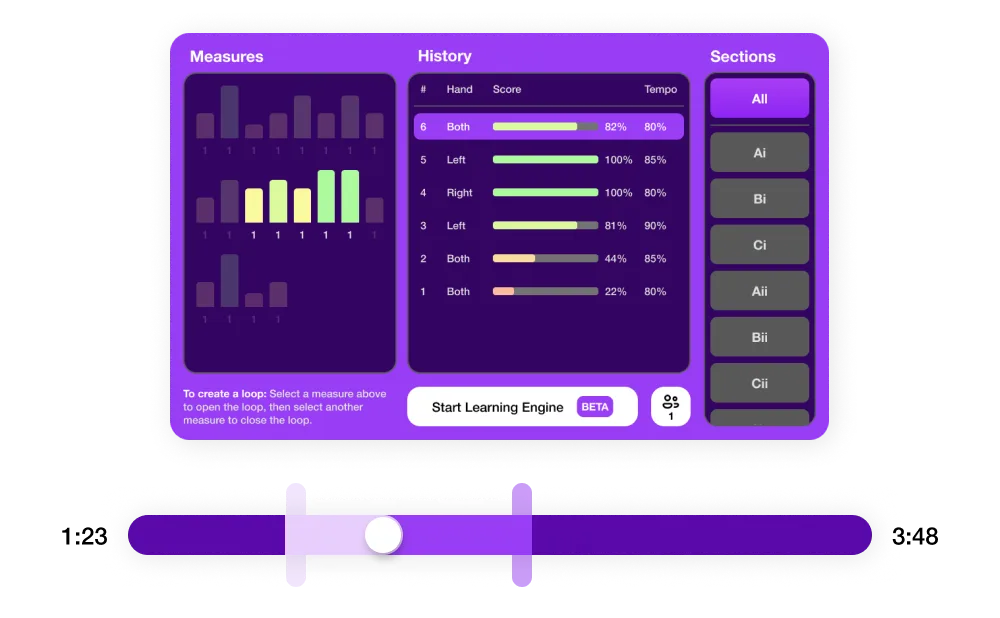
- Check your timing and accuracy stats, then repeat the weak bars.
What you need
Meta Quest headset
PianoVision is built for the Meta Quest mixed reality environment.
Piano or MIDI keyboard
A MIDI keyboard gives the strongest feedback loop — most models work over USB. See the keyboard compatibility list, or start with hand tracking and no keyboard at all.
A practice goal
Start with beginner-friendly songs, build timing, or use PianoVision Plus for a larger song catalog.
Feedback you can act on
Timing, accuracy, and progress stats help you decide what to practice next.

Let's Connect